
Xfinity Internet customers have the option of using their own equipment, so you are not obliged to lease it from the company. However, when you plan to purchase a third-party modem and router (or combo device), you’ve got to stick to Xfinity-compatible devices.
What are Xfinity Compatible Devices?
Xfinity-compatible devices refer to any third-party equipment that can be used in place of the equipment provided by Xfinity itself. This includes Xfinity-approved modems, routers, and gateways. Using supported devices ensures optimal internet performance and fewer connection issues.
Here’s what happens when you use incompatible equipment:
- The device is not recognized during service activation, so you don’t get any service
- Speeds are much slower than what you should be receiving
- Xfinity customer service won’t be able to assist you with any connectivity or network issues associated with the unsupported device
Furthermore, not all approved modems, routers, and other third-party devices work optimally with Xfinity Internet. The equipment you choose must complement your chosen internet plan.
Xfinity Approved Modems and Routers
While several modems, routers, and gateway devices in the market are compatible with Xfinity, you’ll want to invest in equipment that can promise top-notch and consistent performance. Bearing that in mind, I’ve handpicked the top modems, routers, and combo devices to pair with Xfinity Internet.
Top 3 Xfinity Compatible Modems
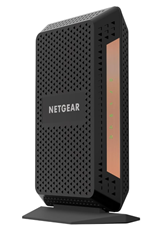
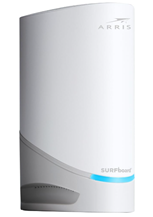
HitronTechnologies CODA56
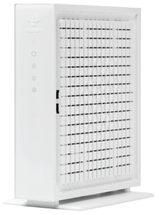
- Wired download speeds up to 2.33 Gbps
- Wired upload speeds up to 455 Mbps
Top 3 Xfinity Compatible Routers
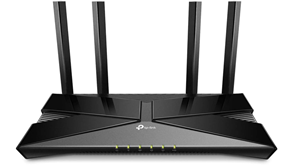
TP-Link Archer AX11000
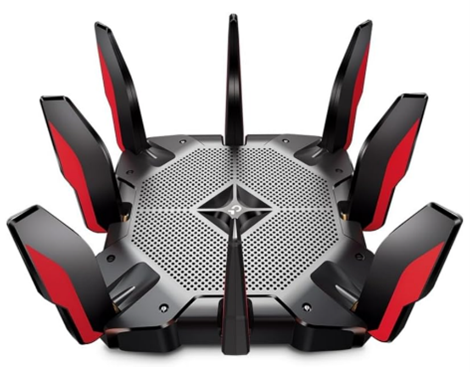
- Tri-Band Wi-Fi 6
- Supports multi-gigabit speeds via Ethernet and Wi-Fi
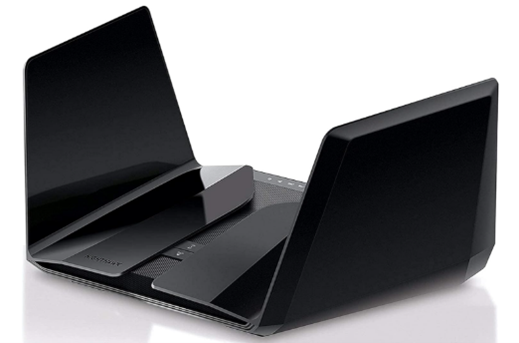
Top 3 Modem-Router Combos
NETGEAR Nighthawk CAX30
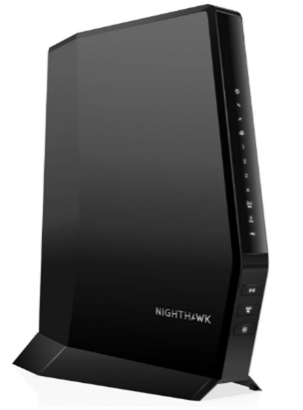
- Wired download speed up to 949 Mbps
- Wired upload speeds up to 35 Mbps
- Dual-band Wi-Fi 6
ARRIS G36
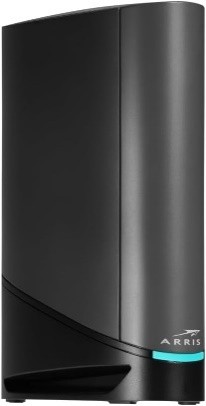
- Wired download speeds up to 2.37 Gbps
- Wired upload speeds up to 419 Mbps
- Dual-band Wi-Fi 6
Netgear CBR750
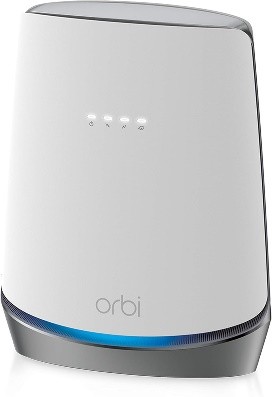
- Wired download speeds up to 942 Mbps
- Wired upload speeds up to 471 Mbps
- Tri-Band Wi-Fi 6
P.S. You can check information for other modems at the Xfinity device compatibility page or contact Xfinity Customer Service & Support for assistance.


Are you sick of slow and patchy Wi-Fi? Do network security issues keep you awake at night?
Upgrade to Xfinity xFi Complete and say goodbye to all your home internet problems!
Xfinity Compatible Streaming Devices
The Xfinity Stream App is free for all Xfinity customers, and it can turn any compatible device into your personal TV. You can access Xfinity Stream on:
- Android Mobile Devices running Android 7.0 or later
- Amazon Fire devices running Fire OS 6 or later
- Apple iPhones & iPads running iOS 15.0 or later
- Apple TV running tvOS 15 or later
- LG TVs (all models released between 2018-2023) with 2GB+ memory
- Roku TVs running OS 9.2 or later
- Samsung Smart TVs with 2GB+ memory
- Xumo Stream Box and Xumo TV
- Xfinity Flex streaming TV Boxes
P.S. Access to all content and availability of 4K streaming may vary by the installed version of the app and compatible device model. Learn more at the Xfinity Stream App requirements page.
The following devices are not supported by the Xfinity Stream app:
- Android TV
- Apple Watch
- Chromebooks
- Nook devices
- Windows tablets and phones
- Xi5 streaming TV Boxes for Xfinity Flex
Xfinity Compatible Smart Home Devices
Xfinity can be paired with a wide range of smart home devices, allowing you to control them from the Xfinity Home app. Therefore, smart lights, thermostats, and locks you already have at home may already qualify for integration.
Here’s a summarized list of Xfinity-compatible smart home devices:
- Smart lighting by GE (Jasco), Leviton, LIFX, Lutron Caséta, Philips Hue, and Sengled
- Smart locks by August, Kwikset, and Yale
- Thermostats by Carrier Cor, ecobee, and Zen
P.S. Select devices are not available to Xfinity Home – Automation customers. You can view the full list of compatible smart home devices on the Works with Xfinity Home page.
Does Xfinity Home work with Alexa, Google Nest, and Apple HomeKit?
Xfinity Home can be paired with Alexa to control certain smart home features, including the Xfinity Video Doorbell and the Home Wi-Fi network. However, Xfinity Home cannot be integrated with Google Nest and Apple HomeKit products.
Final Thoughts on Buying a Device for Xfinity
To conclude, if you’re buying a device to use with any of Xfinity’s services, the first thing to get out of the way is compatibility. You can find lists for supported devices on the Xfinity website, or you can simply call Xfinity Customer Service for help.
Top Xfinity Compatible Devices
While Xfinity internet-compatible equipment and other approved devices will work nicely with Xfinity services, some are easier to integrate and offer better value.

Looking for the best Xfinity internet deals to complement your compatible devices?
Check out Xfinity Bundles to combine your Internet plan with TV, Phone, and Home Security services at phenomenal rates!
Frequently Asked Questions
What devices work with Xfinity internet?
Customers who choose to use their own devices instead of renting internet equipment from Xfinity can check compatibility on the Xfinity device info page or call their helpline.
Does Xfinity work with any modem?
No, you can only use Xfinity-approved modems. The list of compatible modems is available on the official website.
Is Roku compatible with Xfinity?
Yes, the Xfinity Stream app is compatible with Roku TVs running OS 9.2 or later.
Can I use my own router with Xfinity?
Yes, you can use your own router with Xfinity, as long as it is compatible with the service.
What smart home devices work with Xfinity?
Xfinity Home can be paired with a wide range of smart home devices, including smart thermostats, lights, and door locks. You can access the complete list at Works with Xfinity Home compatible devices .


