

We do quite a lot to make a house feel like a home, and getting a reliable internet connection is one of them.
Whether you’re buying or renting, good Wi-Fi is a necessity. Alternatively, as a landlord, including the internet in your rental property can be a game-changer.
Who should get internet for rental homes? On one hand, moving into a place with built-in Wi-Fi is convenient; on the other hand, getting to choose your own internet service provider (ISP) and plan can offer more control and freedom.
Confused? This guide will help you understand and decide what’s best for you.
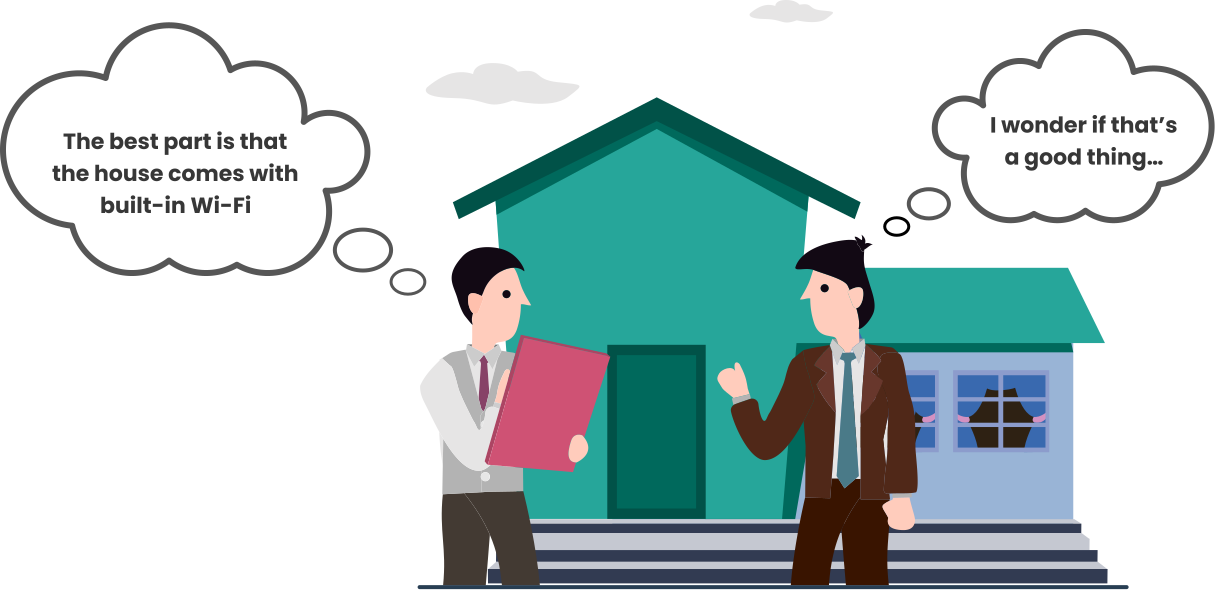
Who Should Set Up Internet in a Rental Property?
Landlords are not legally obligated to provide internet with the rental property, which is why the responsibility may fall upon the tenant. However, offering free Wi-Fi is a tactic many landlords use to appeal to the younger audience (the cost of internet is obviously included in the monthly rent).
No matter who sets up the internet in a rental property, advantages and potential drawbacks exist. Let’s observe both angles:
Landlord-Provided Internet
From the Landlord’s Perspective
PROS:
- Built-in Wi-Fi attracts the younger demographic
- Contract for multiple units with an ISP makes way for lower cost and higher profit (supplementary source of revenue)
- Good internet service helps retain tenants and increase the property’s market value
CONS:
- Responsibility for all internet-related issues; tenants may constantly nag for repairs and replacements
- Too many users on a shared network may cause congestion and slow down speeds (leading to too many complaints)
- Liability for any/all illegal activities on the network
From the Tenant’s Perspective
PROS:
- No hassle of searching for a suitable ISP, bearing installation/setup costs, etc.
- Ready to use the internet from day one is highly convenient
- One less bill to worry about/money-saving
- No need to cancel/transfer service when it’s time to leave
- No responsibility to manage and maintain the network
CONS:
- Lack of control and choice; no say in the type of connection, speed-tier, etc.
- Shared Wi-Fi networks raise security concerns; bad actors on the network may interfere with your privacy
- Shared networks are prone to network congestion and slow speeds
- Depending on the landlord to resolve all internet-related problems can be frustrating
Tenant-Managed Internet
From the Tenant’s Perspective
PROS:
- Freedom to choose an ISP + internet plan that matches specific requirements
- An independent/private network guarantees safety and privacy
- Full control to manage and customize the network
- Direct communication with the ISP enables faster resolution of network-related issues
CONS:
- Going through the trouble of finding a reliable internet provider and a suitable plan
- Place is not Wi-Fi ready; installation/activation of new service might take days
- Landlord’s permission required to upgrade or change the internet setup of the house/apartment
- Potentially high cost of installation/setup
- Landlord will not take care of any network-related problems
From the Landlord’s Perspective
PROS:
- No responsibility to resolve internet issues
- No internet billing and negotiation headaches with the ISP
- No legal liability for the tenant’s online activities or security concerns
CONS:
- Property has a lower market value as many tenants view built-in Wi-Fi as an essential or basic utility
- In some cases, internet installation/setup may cause alterations or minor damage to the property
- Missed opportunity to secure an additional stream of income
Internet Options for Rental Properties
Internet options for rental properties are often influenced by the number of tenants/families occupying the space at a time and the average duration of their stay.
Individual Tenant Internet Plans
Individual tenant plans are ideal for families renting a house for the long term. As a tenant, you can choose your own ISP and sign up for a plan that best suits your family’s internet needs. You have full control over your private home network, which ensures a secure connection.
The landlord’s consent is necessary in case you want to change the property’s existing internet infrastructure (for example, upgrading from cable to fiber internet). If or when you decide to move to another place, you may have the option to transfer your service to the new address.
Landlord-Provided Shared Internet
It is common for landlords of apartments and duplexes to use a single connection to offer Wi-Fi for everyone. This is a popular option for students/bachelors who stay outside home for most of the day and aren’t keen on getting a personal/individual internet plan.
Since all tenants of the building share the same Wi-Fi network, security concerns and network congestion during peak usage hours can be a regular thing. However, this arrangement works fine for light internet users and those on a tight budget.
Bulk Internet Agreements
Some landlords enter contracts with ISPs that offer bulk pricing. This means you can purchase multiple connections at a discount rate to accommodate every tenant in multi-unit properties. As a result, each apartment/housing unit gets its own private network, offering better performance and security.
This arrangement makes the rentals internet-ready, and the monthly cost is normally included in the rent. Tenants cannot choose a different ISP, though changing their internet plan might be an option. In summary, bulk internet agreements are cost-saving for both parties.
Internet for Short-Term Rentals
People on vacation or work-related trips often find temporary housing through Airbnb or VRBO. Free Wi-Fi that works is an excellent selling point for short-term rentals listed on these platforms. Hosts often create a guest Wi-Fi network using their existing internet connection.
Wi-Fi extenders or a mesh network can help improve coverage and performance in large households/rental spaces. Tenants usually have to rely on their personal mobile data hotspot if the rental does not include any internet facility.
Best Internet Types for Rental Properties
The best internet connection for a rental property may depend on several factors, such as:
- Types of broadband available in the area
- The existing internet infrastructure of the property
- User/family internet requirements
- Buyer’s budget
Here’s a quick comparison of widely used broadband types for rental properties:
| Type of Connection | Fiber | Cable | Fixed Wireless (4G/LTE) | 5G Home Internet | DSL |
|---|---|---|---|---|---|
| Download Speed | Fastest: ISPs may offer up to 8 Gbps | Super-fast: Up to 2 Gbps | Slow: Typical speeds range between 25-50 Mbps | Fast: Typical speeds range between 100-300 Mbps | Slow: Up to 100 Mbps |
| Upload Speed | Fastest: Symmetrical to download speed | Average: Typically, up to 50 Mbps with higher-tier plans | Slow: Typically, up to 10 Mbps | Average: Typically, up to 50 Mbps | Very slow: Typically, up to 5 Mbps |
| Latency | Lowest | Low | Moderate to High (variable) | Low to moderate (variable) | Moderate |
| Availability | Mostly limited to urban areas | Widely available; concentrated in urban and suburban areas | Widely available; popular in rural areas | Concentrated in urban areas | Mostly obsolete in urban areas, but still popular in rural areas |
| Installation | Generally, requires professional installation and specialized equipment | Largely compatible with households nationwide; simple setup/self-install option | No wiring required; the mounted outdoor receiver is installed on the property | Easy wireless setup with an outdoor receiver connected to a router inside | Simple, but requires an existing landline/home phone |
| Overall Reliability & Performance | Excellent: Least prone to interference | Good: Network congestion may occur during rush hours | Poor to Moderate: Varies by signal strength | Moderate: Signals are prone to interference | Moderate |
| Best For | Big households/families, smart homes, power users, 4K streaming, hardcore gaming, etc. | Balance of speed and budget, streaming on multiple devices, remote work, etc. | Rural users who lack access to wired broadband | Renters, compact/temporary setups, apartment living, and budget-conscious users | Basic internet usage in rural areas that don’t have cable or fiber internet coverage |
Key Takeaways:
- Fiber and cable internet are the best options for heavy internet users, big households/families, and long-term use.
- 5G Home Internet is the most convenient option for compact apartments, hassle-free installation/setup, and short-term use.
- Fixed Wireless (4G/LTE) and DSL are fair options for rural connectivity.
How Much Internet Speed Do Rental Properties Need?
The required internet speed for a rental property mainly depends on how many people will occupy it, the number of connected devices each user owns, and their individual online activities.
- 100 Mbps is normally enough for 1-2 tenants in a rented apartment.
- 300 Mbps is sufficient for the average family having 3-6 members.
- 500 Mbps or more is recommended for large households, smart homes, competitive gamers, 4K streamers, power users, and remote workers.
- Gigabit and multi-gigabit speed plans can be used to connect multiple units/apartments in a building.
Disclaimer: Mentioned speeds are mere recommendations. Actual speed requirements may vary significantly by user/household.
Understanding your speed needs is crucial for choosing the right internet plan. Here’s how you do the math:

Who Pays for Internet in a Rental Property?
Landlords have no legal obligation to pay for internet in their rental properties. Tenants are generally responsible for bearing internet costs and possess the right to choose their own internet provider.
However, the landlord may charge a fee for built-in Wi-Fi or restrict the choice of provider, as long as it is clearly stated in the lease. Even so, tenants can opt out of the arrangement if the service is not up to their requirements or standards.
The tenant has to acquire the landlord’s permission in case their chosen internet service requires new wiring or any kind of alteration to the property.
Furthermore, if the cost of internet provided by the landlord is included in the rent, the tenant has to pay it regardless of whether he/she use it or not; a separately charged fee can be waived off.
Best Internet Providers for Rental Properties
| ISP | Connection Type | Starting Price | Download Speeds | How to Get |
|---|---|---|---|---|
 | Cable | $40/mo.1 | Up to 2 Gig | Check Availability |
 | HFC | $30/mo.2 for 1 year | Up to 2 Gig | Check Availability |
 | Fiber | $35/mo.3 Plus taxes | Up to 5 Gig | Check Availability |
 | Cable & Fiber | $40/mo.4 | Up to 8 Gig | Check Availability |
 | 5G Home Internet/Fixed Wireless | $35/mo.5 | Up to 300 Mbps6 | Check Availability |
1. For 12 mos., no term contract. Taxes and fees extra. Incl. up to $10/mo. auto-pay & paperless bill discount. See Broadband Facts: https://www.xfinity.com/broadband-labels
2. See Offer Details for terms and conditions
3. Eligible Autopay & Paperless Bill req’d.* See Details
See Broadband Facts: att.com/dapbbfacts
4. w/ $10 ACH Autopay discount for Internet and/or Video services. In select markets only. Max Download Speeds
5. w/ Auto Pay & any Verizon mobile phone plan
See Details
6. Typical speeds of 85 to 250 Mbps
Internet Setup Tips for Landlords
As a landlord, you have little to worry about when tenants are managing their own internet service. However, let’s not forget that providing internet to tenants can open a new source of income and increase your property’s market value.
Here’s how you ensure top-notch internet performance and guarantee tenant satisfaction:
- Thoroughly research broadband options and compare packages to get good value for your investment.
- Don’t hesitate to negotiate and ask for a discount for bulk business.
- Choose high-quality wiring and equipment (modem & router) that are compatible with the chosen broadband connection and speeds.
- Optimize router/gateway placement for better coverage and performance.
- Invest in Wi-Fi extenders or a mesh Wi-Fi system for large rental properties or multi-unit buildings.
- Keep all equipment firmware up-to-date and timely replace outdated/faulty hardware.
- Equip tenants with separate/private networks to maximize security.
- Spread awareness about cybersecurity risks on shared networks and promote safe browsing practices among tenants.
- Provide internet access to authorized tenants only/add multi-factor authentication (MFA).

FAQs
Is a landlord required to provide internet?
The law does not require landlords to provide internet in their rental properties.
Can a landlord force a specific ISP?
Yes, landlords may enforce a specific ISP in the lease if they have an agreement and infrastructure for the entire building.
Can tenants install their own internet?
Most of the time, tenants have the option of installing their own internet. However, the landlord’s permission is necessary if the chosen internet connection requires new infrastructure or alters the property in any way.
What’s the best internet for Airbnb rentals?
A guest Wi-Fi network powered by a fiber or cable internet connection is most suitable for Airbnb rentals.
Is bulk internet cheaper for landlords?
Yes, landlords can obtain a handsome discount by buying internet connections in bulk from a single provider for an apartment building or multi-unit properties.


