
According to stats, almost all children in American households aged 13-18 have a smartphone or access to a tablet along with the internet. This shows that children getting hooked on technology from an early age is inevitable, especially today, where technology lives and breathes in everything. However, this also makes applying parental controls indispensable more than ever.
While you can educate your children on the dangers of the online world, keeping them safe is one of the core pillars of parenthood. That’s why this blog will highlight why it’s important to apply parental controls over the internet and TV services accessible to children in a household:

Also Read: Tips and Tricks to Make Your Home Internet More Secure
Key Benefits of Parental Controls
Parental controls are options that are designed to restrict activity. These can be built in within the internet you’re using or a third-party security system. Using these options, you can monitor your children’s online activity as well as protect them from online dangers.
Online Activity Oversight
Parental controls come with settings that track the history of the user logged in, their session time (how long the user was active), and screen time. The settings can be adjusted to track what your children are exploring online, which gives you an idea of what they’re facing in real life.
Studies have investigated the relationship between the real lives of children and what they’ve been doing online. Hence, monitoring the online activity of your kids can actually help you, as a parent, understand what they’re going through.
Promotes Digital Boundaries
While it’s important to let your kids have their ‘me time’ online, there are times when you need to step in. A recent study showed that more than 65% of children aged between 3 and 17 are engaging with social media. The consumption time matters here the most, with some stats showing over 7 hours of social media usage.
Therefore, parents need to monitor their children’s screen time and restrict the activities of their children’s activities. Screen time restriction minimizes their overconsumption of any platform, be it social media or gaming.
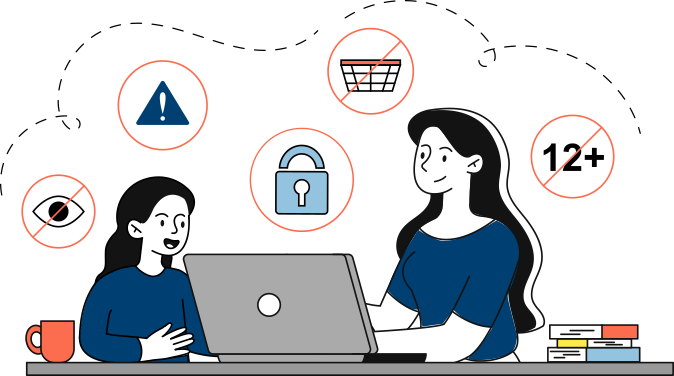
Not only does this prevent the children from being glued to the screen for hours, but helps minimize the chances of a bad posture and bad eyesight while promoting physical and outdoor experiences.
Provides Safe Search Controls
One of the many reasons for active parental controls is to manage what the children are searching for. Whether it’s by fluke or intentionally, children come across content that can be disturbing for them.

The internet is filled with such content, and not having content filters active on your home network can lead your children to be exposed. As a parent, you can use the activity tracker to see what your children are searching for. Evaluate the content, and apply necessary filters so that they don’t access it anymore.
Offers Secure In-Game Purchase Settings
From chatting to talking with other players to making in-game purchases, there’s a lot that you can do in today’s games. However, some scammers impersonate gamers and make item trades.

Stats show that more than 50% of Gen Z gamers spend at least $20/mo. on in-game purchases, outpacing Millennials. That’s why it’s important to place restrictions on credit card usage and online purchases so your children, intentionally or unintentionally, don’t make such purchases.
Allows Real-Time Location Watch
Some parental control tools come with location tracking features. These options enable parents to locate the children as well as apply geofencing settings. These settings trigger real-time alerts when the child enters or exits any particular area.

It also helps parents to track location history so they’re aware where the kid has been. Although it might seem a bit ‘controlling’ to some, it’s a precautionary measure that can help in adverse situations. In situations where the child’s phone gets lost or has no battery, the parents can use the location tracking to know where to find the child.
Enable Safe Social Media Experience
While this may seem like an invasion of privacy and a controlling behavior, the parents need to see how their children interact with social media. Why? Studies indicate roughly 45% of the social media users in the US aged between 13 and 17 years face cyberbullying. 15% the total girls using social media platforms have been cyberbullied and harassed online in one form or another.

Here, the role of the parents is greater than ever! Parents can monitor, view, and manage what their children are doing online. They can even identify perpetrators of cyberbullying and get the authorities involved while making the children feel safe enough to trust them during the process.
Creates a Safe & Knowledgeable Environment
Lastly, setting up parental controls creates a safe environment for you and your children. You can educate your children on the harmful side of the internet and entrust them with the responsibility of staying safe while reporting any suspicious activity.
With parental controls, you can easily monitor your children’s activity anytime and anywhere you want. These are customizable, so you can easily adjust to the changing dynamics of the internet world to ensure your child’s safety.
How to Enable Parental Controls for Different Providers?
The procedure for enabling parental controls on your internet router or TV service device may vary slightly by provider. You may refer to the guidelines provided on your provider’s official website or reach out to customer service for guidance/assistance.
Here are outlines for the basic steps involved in setting up parental controls of a few leading internet and TV service providers in the US:

Parental Controls for TV
- 1) Find and press the Xfinity button on your TV remote
- 2) Go to Settings and select Parental Controls
- 3) Create a PIN (using given instructions)
- 4) Apply restrictions on content/channels you deem inappropriate
Parental Control for Internet
- 1) Sign into the Xfinity app using your Xfinity ID and Password
- 2) Tap on Network Customization and Control with xFi to get started.
OR
- 1) Use the Wireless Gateway’s Admin Tool from your browser

Parental Controls for TV
- 1) From your remote control, press the Menu button
- 2) Navigate to Settings & Support followed by Parental Controls
- 3) Provide you PIN to manage settings
- 4) Apply restrictions or block channels
Parental Control for Internet
- 1) Sign in to your Spectrum customer account from a computer
- 2) Open Spectrum’s Security Suite to view the Parental Controls option
- 3) Select Turn on to active parental controls and then click on Settings to customize

Parental Controls for TV
- 1) Open the Main Menu using your Cox TV remote
- 2) Select Settings and then Parental Controls
- 3) Set your PIN and verify
- 4) Choose and personalize your restrictions
Parental Control for Internet
- 1) Download Cox Security Suite (powered by McAfee) on your device
- 2) Select your device from the Protect More Devices dropdown menu
- 3) Navigate to Parental Controls
- 4) Set & Save your Administrative Password
- 5) Click Edit to personlize your settings
Ready to Implement Parental Controls?
Most internet and TV providers have integrated parental controls with a user-friendly design and instruction prompts. This makes customizing settings trouble-free and your home internet secure. Make use of these settings, but foremostly manage your child’s screen time by engaging them in physical and creative activities.
FAQs
What is the purpose of parental controls?
Parental controls are primarily aimed at blocking inappropriate/harmful content and setting up time limits for the child to access the internet and TV.
Why are parental controls important?
Parental controls have become an essential part of digital security, as they allow adults to protect minors from exposure to illicit content, as well as stay informed about their online activities.


