

Your internet router plays an important role in the performance of your home network. If your router is outdated or incompatible with your internet plan, you're likely to encounter slower speeds, Wi-Fi dead zones, and a higher risk of cyberattacks.
However, choosing the right router for your home is nearly impossible when you don't know what you're looking for. Unless you're an expert in internet jargon, you're probably unaware of terms like:
- Wi-Fi Channels and Frequencies
- Wi-Fi Standards
- WPA3 Encryption
- MU-MIMO
To be precise, product research is crucial before you start shopping. Let's get started with dissecting the router, so you know everything there is to know to make the right purchase:
What to Look for in an Internet Router for Your Home
The type of router you need for your home primarily depends on your internet speed, the size of the house, and the number of connected devices on the network.
Here's a comprehensive breakdown of the key factors you need to consider before exploring options:

1- Internet Speed
The first thing on the list is your internet connection's maximum speed. While your chosen internet plan or speed-tier initially defines how much download and upload speed you can expect on your device, the router's speed capacity determines what is achievable in real life.
Think of your router as a middleman between your internet connection and your devices. If it's built to support the maximum speed offered by your internet service provider (ISP), you can look forward to a smooth online experience; if not, you'll be missing out on optimal performance.
For example, if you're subscribed to a 1 Gbps speed internet plan, but your router's limit is 600 Mbps, you'll never experience speeds higher than 600 Mbps.
Most modern routers are designed to support multi-gigabit speeds, and gaming routers are even capable of achieving beyond 10 Gbps. That said, don't buy an expensive gaming router unless you actually need it; no point in aiming for 10 Gbps+ if your internet service only offers speeds up to 300 Mbps (or less).
Are you an avid gamer looking to improve your gameplay with faster and more reliable internet? Discover the Best Internet for Gaming

2- Coverage
The next most important element in selecting the ideal router for your home internet is its coverage. Most routers have a Wi-Fi range of up to 1500 square feet indoors; however, the greater the distance from the router, the slower the Wi-Fi speeds.
Advanced routers are often equipped with more powerful Wi-Fi technology and a greater number of antennas to improve coverage and Wi-Fi signal strength all over the house. Large or multi-story homes usually need additional equipment to extend the Wi-Fi range of the router.

Are you troubled by poor Wi-Fi signals and dead zones in select areas of the house? Your router might need some reinforcement to improve to resolve the matter: Wi-Fi Extender vs. Wi-Fi Booster vs. Mesh Wi-Fi: Which One Do You Need?
3- Wi-Fi Standard
Wi-Fi standards are sets of rules that establish how wireless devices communicate and connect to the internet. Over the years, newer standards have been introduced to improve router speed, range, and capacity.
In other words, the latest the standard, the superior the network's performance. Routers with the latest standards offer more bandwidth, which means more data can be transferred per unit time.
The first Wi-Fi standard was introduced in 1997, and the Institute of Electrical and Electronics Engineers (IEEE) named it "802.11"; the later generations of Wi-Fi standards are represented as an extension of this number.
Wi-Fi 4 (802.11n) and the standards released before are obsolete. Wi-Fi 5 is also considered outdated, but it's still operational. Wi-Fi 6, 6E, and 7 are the more popular options right now.
Comparison of Wi-Fi Standards
| IEE Standard | Wi-Fi Bands | Maximum Speed |
|---|---|---|
| 802.11n (Wi-Fi 4) | 2.4 GHz + 5 GHz | 600 Mbps |
| 802.11ac (Wi-Fi 5) | 5 GHz | 6.9 Gbps |
| 802.11ax (Wi-Fi 6) | 2.4 GHz + 5 GHz | 9.6 Gbps |
| 802.11ax (Wi-Fi 6E) | 2.4 GHz + 5 GHz + 6 GHz | 9.6 Gbps |
| 802.11be (Wi-Fi 7) | 2.4 GHz + 5 GHz + 6 GHz | 46 Gbps |
Still using a Wi-Fi 5 router? Find out if it’s time to upgrade to Wi-Fi 6!

4- Wi-Fi Bands & Channels
Now that you are familiar with Wi-Fi standards, you must be curious about the "Wi-Fi bands" mentioned above. A Wi-Fi band is a specific wireless broadcast frequency used by the router to transfer data over the network.
The primary Wi-Fi frequencies are 2.4 GHz, 5 GHz, and 6 GHz; routers can have a single or multiple frequency bands:
- Single-band router (2.4 GHz or 5 GHz)
- Dual-band router (2.4 GHz + 5GHz)
- Tri-band router (2.4 GHz + 5GHz + 6GHz)
Each Wi-Fi band is further segmented into smaller "channels," which are similar to lanes on a highway. These Wi-Fi channels allow multiple devices to transfer data over the same frequency without interference.
Dual-band and tri-band routers are the norm now, as they can support a wider variety of devices simultaneously. Multiple bands help reduce network congestion and improve speeds for all users on the network.
2.4 GHz vs. 5 GHz vs. 6 GHz Wi-Fi Band
| Feature | 2.4 GHz | 5Ghz | 6GHz |
|---|---|---|---|
| Speed | Lowest | Moderate | Highest |
| Range/Coverage | Widest | Moderate | Shortest |
| Penetration through walls/physical barriers | Excellent | Moderate | Weak |
| Vulnerability to Interference/Congestion | High | Low | Lowest |
| Compatibility | Nearly all devices | Most modern devices | Latest/cutting-edge devices |
| Best For | Old/outdated devices, smart appliances, and using the internet far away from the router | High-quality gaming and streaming, video calling, and online work | AR/VR and enterprise-level applications |
5- Security Features
A Wi-Fi router with good security features is a must to maintain your online privacy and protect yourself from cyberattacks. Old or outdated routers that no longer receive firmware updates are increasingly susceptible to malware and data breaches.
If your current router is more than 5 years old, you should replace it ASAP. Here's a list of security features to look for in the next purchase:
- WPA3 Encryption: Wi-Fi Protected Access 3 or WPA3 is currently the most advanced Wi-Fi security protocol that stops intruders from stealing your data and cracking your passwords.
- Built-In Firewall: The router's firewall monitors incoming and outgoing traffic to filter out harmful content. It identifies and blocks malicious websites, unauthorized access requests, infected files, etc.
- Automatic Updates: Routers require regular firmware updates to maintain optimal performance and eliminate security gaps. Wi-Fi routers that haven't received an update in a while should be avoided.
- VPN: Some routers come with a pre-configured (Virtual Private Network) VPN, which masks your IP address, bypasses geo-restrictions for international content, and even prevents ISP data throttling.
- Parental Controls: If you have kids in the house, a Wi-Fi router with parental controls can be a lifesaver; it gets a lot easier to set restrictions and block unsafe sites.

While the router’s built-in features are a great start for protecting yourself from cyberthreats, you’ll need a little more to reinforce your home network:
6- Compatibility with Internet Providers
Many consumers rent equipment from their internet provider rather than buying their own. This is indeed a convenient option for users who don't know anything about modems and routers. Although this route is more costly in the long run, it does prevent compatibility issues.
When you decide to buy your own router, it's crucial to ensure that it will work with the internet service you've chosen for your home. If you're buying the router online, check the description to see if the seller has mentioned compatible ISPs.
You can also look up online resources and forums for help or directly contact your ISP to inquire about compatible router models.
7- Price and Internet Usage Patterns
Buying a cutting-edge router with all the best features is a great idea for future-proofing, but not recommended for everyone. Routers that come with an array of advanced features are naturally expensive and overkill for the average user.
If your home internet connection delivers less than 500 Mbps speed and you don't even have the latest computing devices, you don't need a pricy Wi-Fi 7 or gaming router. You must stick to your budget and buy a router that matches your internet plan.

Do you even need a new router?
Sometimes, all you need is to optimize your router placement and settings to get rid of any connectivity issues. However, if you’ve already tried that and still need confirmation, check out:
Advanced Performance Features for Tech-Savvy Users
We’ve covered the primary router features to look out for, so here’s an extended list of advanced performance features for the tech-savvy readers:
MU-MIMO: Multi-User Multiple-Input Multiple-Output, or MU-MIMO, is a technology featured in newer routers, which allows them to transmit data to multiple devices at the same time.
Quality of Service: Quality of Service, or QoS, is a function that allows network administrators to prioritize network resources for high-performance applications.
Beamforming: This feature is used to direct Wi-Fi signals towards a specific device rather than broadcasting in all directions. It improves connection strength and reduces interference to seamlessly run bandwidth-heavy applications like gaming.
Link Aggregation: Link aggregation is used to join two different networks via cables to combine their speed and bandwidth.
DD-WRT Support: This feature is typically included in premium gaming routers to allocate more bandwidth to selective devices; this helps enhance the gaming or streaming experience.
MLO: Multi-Link Operation or MLO is a new feature in Wi-Fi 7 routers, which lets devices connect to multiple Wi-Fi bands at the same time. Doing this boosts speed, lowers latency, and improves connection stability.
TWT: If your home’s Internet of Things (IoT) devices drain too much power or hog excessive bandwidth, the Target Wake Time or TWT feature is the solution. It can be used to pause IoT devices or schedule their active hours.
Multiple Ethernet Ports: Ethernet ports come in handy when you need to connect a cable to your device to avoid wireless interference. Many modern routers come equipped with gigabit ports that provide at least 1 Gbps connection speed.
Router Recommendations for Your Home
| Best Wi-Fi 7 Router | Best Budget Router | Best Gaming Router | Best Router for Mesh System |
|---|---|---|---|
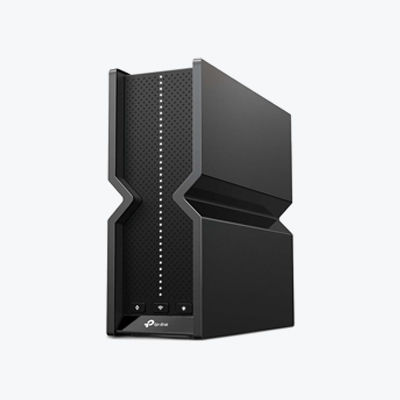 | 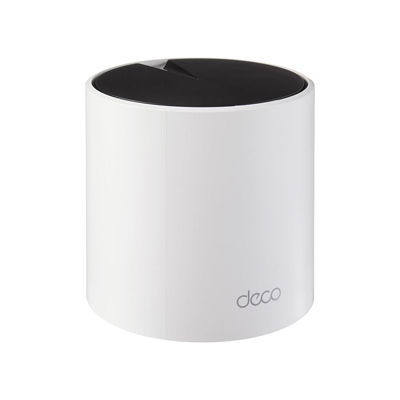 | 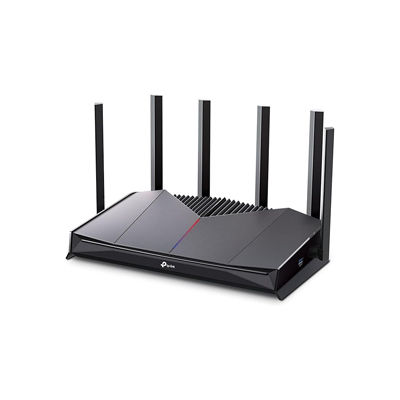 | 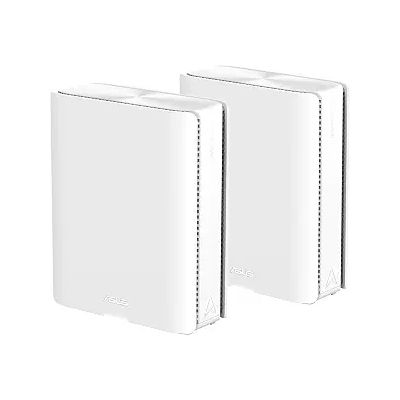 |
| TP-Link Archer BE550 | TP-Link Deco X55 Pro | TP-Link Archer GE400 | ASUS ZenWiFi BQ16 Pro |
| Buy on Amazon | Buy on Amazon | Buy on Amazon | Buy on Amazon |
Summary: Quick Tips for Buying a Router
Now that you understand what a Wi-Fi router is all about, go through these quick tips before you seal the deal:
- Avoid outdated routers (Wi-Fi 5 and below); go for Wi-Fi 6 or above (dual or tri-band)
- Match your router speed to your home internet plan
- Find a router that has enough Wi-Fi range to cover your entire home
- Respect your budget and internet needs
- Get a router that actively receives updates
- Prefer a router with WPA3 encryption for better protection
- Don't buy a router that costs more than the one provided by your ISP
FAQs
Do I need to get a modem if I buy a router?
Yes, you need both the router and modem to connect to the internet; the two devices are not interchangeable. A second option is to buy a modem-router combo device or gateway.
How often should I upgrade my home router?
It is recommended to replace your home internet router every 3-5 years. You might need to upgrade sooner if you've switched to a higher-tier internet plan.
How do I check if my router is compatible with my internet provider?
You can contact your ISP's customer service team or check online on their official website for a list of provider-compatible routers.
Should I buy a dual-band or tri-band router?
Dual-band routers are budget-friendly and suitable for most small to medium households. Tri-band routers are recommended for power users, big households, and advanced smart homes with 30+ connected devices.
Which are the best brands for home routers?
TP-Link, Netgear, ASUS, Linksys, and Google Nest are among the top-rated router manufacturers.


